Overview
The Recurring Status Report feature under the Tools menu provides merchants with a detailed summary of all recurring transactions attempted within a selected date range. It is particularly useful for monitoring failed and successful recurring payments.
This feature allows filtering by error status, payment type, and other identifiers to help merchants analyze recurring billing behavior and troubleshoot issues quickly.
Prerequisites
- You must have access to Transaction Manager with valid login credentials.
- If you do not have login credentials for Transaction Manager, please email the support team
support@chargeanywhere.comto request access.
Login URL
- Test URL:
https://sandbox.chargeanywhere.com/TransactionManager/Login.aspx - Production URL:
https://www.chargeanywhere.com/transactionmanager/login.aspx
Accessing Recurring Status Report
- Log in to Transaction Manager with your partner credentials.
- If applicable, select your merchant account.
- Click on the Tools menu located in the top navigation bar.
- Select Recurring Status Report.

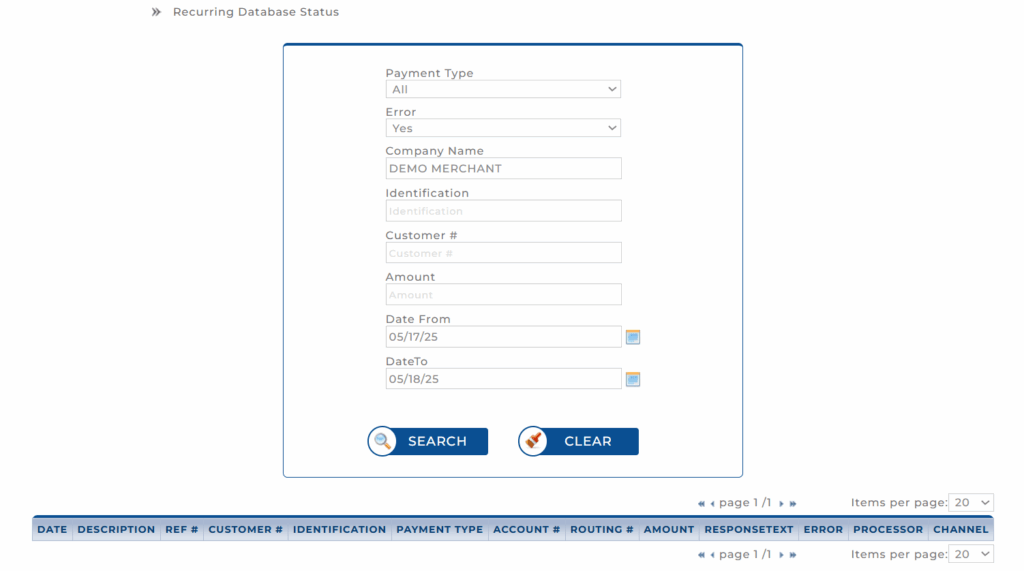
The Recurring Database Status page is displayed.
Using Search Filters
The search panel allows merchants to narrow down recurring transaction results using the following filters:
| Field | Description |
|---|---|
| Payment Type | Choose the payment method used: All, Credit, or ACH. |
| Error | Filter by transaction outcome: All, Yes (only errored transactions), or No (only successful transactions). |
| Company Name | Displays the name of the merchant (auto-filled). |
| Identification | Optional field to search by device or terminal identification. |
| Customer # | Filter results for a specific customer number. |
| Amount | Specify a transaction amount to narrow results. |
| Date From / Date To | Define a date range to view transactions executed between specific days using the calendar picker. |
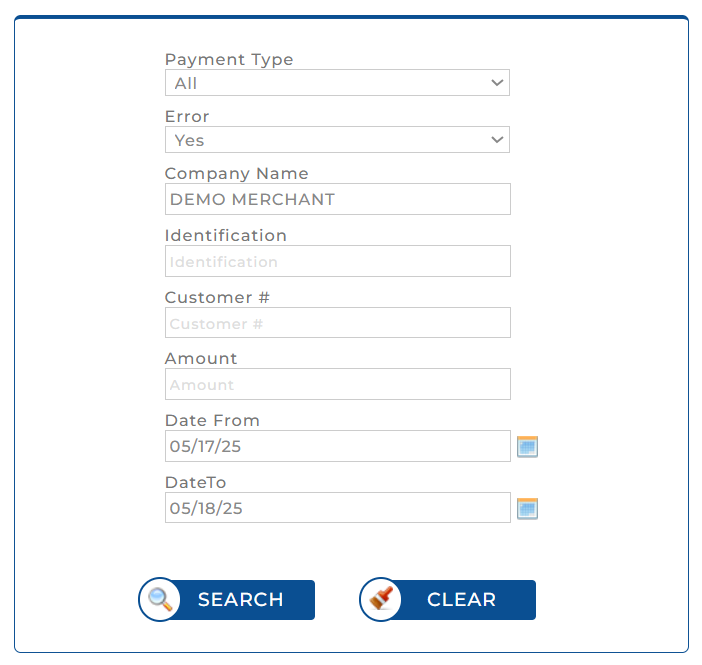
Note: Use the Clear button to reset all filters before performing a new search.
Viewing Search Results
After clicking Search, results are displayed in a tabular format at the bottom of the page. The table includes the following columns:
| Field | Description |
|---|---|
| Date | Date of the recurring transaction attempt. |
| Description | Additional information about the transaction. |
| Ref # | Unique reference number for the recurring transaction. |
| Customer # | Identifier for the customer involved in the transaction. |
| Identification | Associated device or terminal identification. |
| Payment Type | Indicates whether the transaction was Credit or ACH. |
| Account # | Masked account number used for the payment. |
| Routing # | Routing number for ACH transactions (if applicable). |
| Amount | Amount attempted in the recurring charge. |
| ResponseText | Descriptive response from the gateway (e.g., Approved, Declined). |
| Error | Flags if an error occurred (Yes or No). |
| Processor | Name of the payment processor used. |
| Channel | Transaction origin channel (e.g., API, VT, etc.). |

You can adjust the Items per page dropdown at the bottom-right to display more records per page.
Get a monthly summary of technical document updates.